iDialogue brings document generation, file intelligence, and customer dialogue into Salesforce. Create customer-ready documents from CRM context, understand the files already attached to records, and move approved work into review, eSignature, or a secure customer Experience.
Generative AI
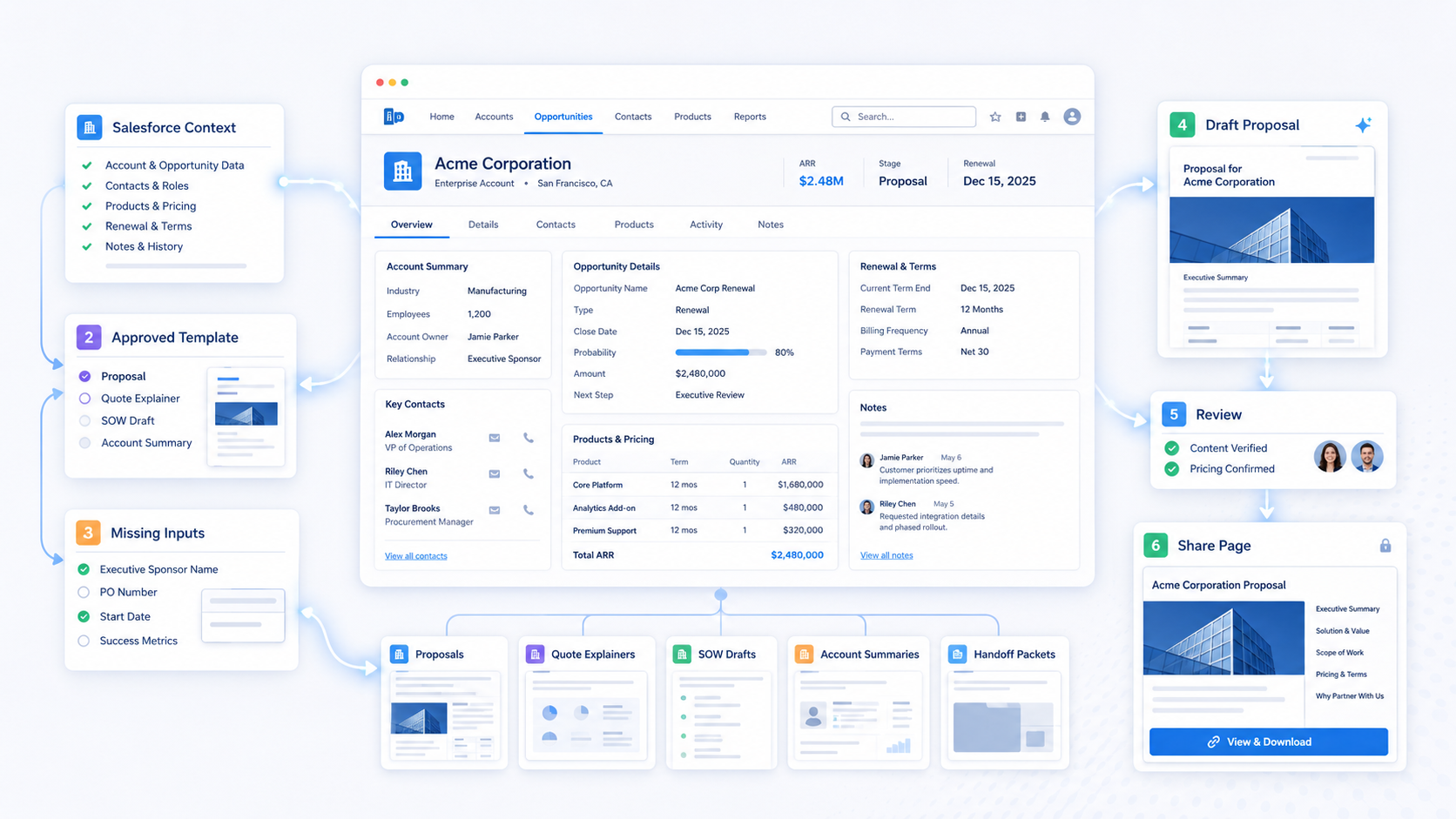
Generate documents
Turn Salesforce data and approved templates into review-ready business documents, then share approved work through eSignature or an iDialogue Experience.
- Proposals, quote explainers, agreements, and handoff documents
- Human review, eSignatures, and reusable workflows
- Experiences and Document Rooms for customer sharing
Explore Document Generation
Intelligent Document Processing
Understand files
Use Intelligent Document Processing (IDP) to read, summarize, question, and extract useful data from Salesforce Files.
- Image OCR for business cards, receipts, scans, and photographs
- File extraction, contract summaries, and Document Q&A
- Configured file-to-record workflows with human review
Explore Intelligent Document Processing
- ESPN
- HP
- Time Warner Cable
- Zonar
- Aviate
- Jet RVSM Services
- Logalytics
- eHormones MD
- PacketFabric
- Prudent Investors
- Planar
- Cubic Compass
- Document My Org
- Counted
- SOL REPUBLIC
- iGrafx
- BRAGA Group
- PABCO Gypsum
- Permacast Walls
- Addigy
- Together for Haiti
- Veterans2Work
- Center for WhatWorks
- Vetforce
- Byrd Barr Place
- Feed the Need Missions
- Friendship Circle New Jersey
- Chabad UF Jewish Student Center
- Natural Womanhood
- A Meal With Dignity
- Yaldei Shluchei HaRebbe
- First Tee
- Colel Chabad
One workflow layer for Salesforce content
Start with Salesforce records and files
Use account, contact, opportunity, quote, product, and related File context instead of moving business content into a disconnected AI tool.
Generate or understand
Choose an approved document template when creating new content. When content already exists, use OCR and semantic file reading to prepare it for extraction, summaries, review, or Q&A.
Apply an agentic workflow
Agents combine instructions, skills, tools, and Salesforce context to collect missing inputs, prepare outputs, or take explicitly permitted actions.
Review the result
Keep people in control of facts, commercial commitments, extracted values, record changes, and customer-facing content.
Deliver the outcome
Save or share a document, request an eSignature, publish an Experience or Document Room, collect customer input, or update the intended Salesforce record through the configured workflow.
Why iDialogue
- Salesforce records, Files, and approved customer context stay central to the workflow.
- Generation and file understanding work together across proposals, agreements, contracts, receipts, resumes, spreadsheets, and images.
- Approved templates and human review keep generated and extracted content aligned with the business process.
- Agent skills and workflows connect file understanding to the next permitted Salesforce action.
- Experiences, Document Rooms, and eSignatures move approved content into customer-facing workflows.
- Security and governance are documented in the public Trust Center, with additional assurance materials available for enterprise review.
- Usage-based pricing scales with document generation, file processing, and the work agents perform.
Explore iDialogue
- Product - explore document generation, eSignatures, IDP, OCR, and Experiences.
- Image OCR - turn image and scanned-document text into usable file context.
- Solutions - see how iDialogue components assemble into Salesforce workflows.
- Pricing - compare Free, Starter, Growth, Scale, and Enterprise plans.
- Trust Center - review security, data handling, AI governance, policies, and assurance evidence.
- Resources - find Academy, Agent Gallery, Support, releases, security, and architecture.
Next step
Start with the document your team rebuilds most often or the file process that still depends on manual reading and rekeying.
Install the iDialogue Salesforce package to begin.
Get Started


