
Generate documents. Understand files.
iDialogue is a Salesforce document intelligence layer for creating customer-ready content and understanding the files already connected to CRM records.
Use Salesforce data and approved templates to generate proposals, quote explainers, agreements, handoff documents, and customer Experiences. Use Intelligent Document Processing (IDP) to read PDFs, Office files, spreadsheets, images, and uploads for OCR, extraction, summaries, review, and Document Q&A.
Generation and file understanding share the same foundation: Salesforce records and Files, the Salesforce API connection user configured by the Salesforce Admin, enabled agent capabilities, workflow settings, and workflow-specific review options for consequential actions.
Continue the dialogue. Complete the task.
iDialogue is designed for an ongoing business dialogue, not a series of disconnected prompts. Approved conversation context carries forward, so people can pick up where they left off without re-teaching an agent or repeating earlier conversations.
Document generation, OCR, image analysis, and transactional steps work differently. They process the task at hand without creating conversational memory. Requested files and completed artifacts can live in the secure iDialogue repository, helping teams reduce Salesforce file-storage use.
Customer data processed through the iDialogue-managed OpenAI integration is not used to train OpenAI models. When an agent works in Salesforce, it acts through the Salesforce API connection user configured by the Salesforce Admin, keeping authority aligned with that user's permissions.
Product at a glance
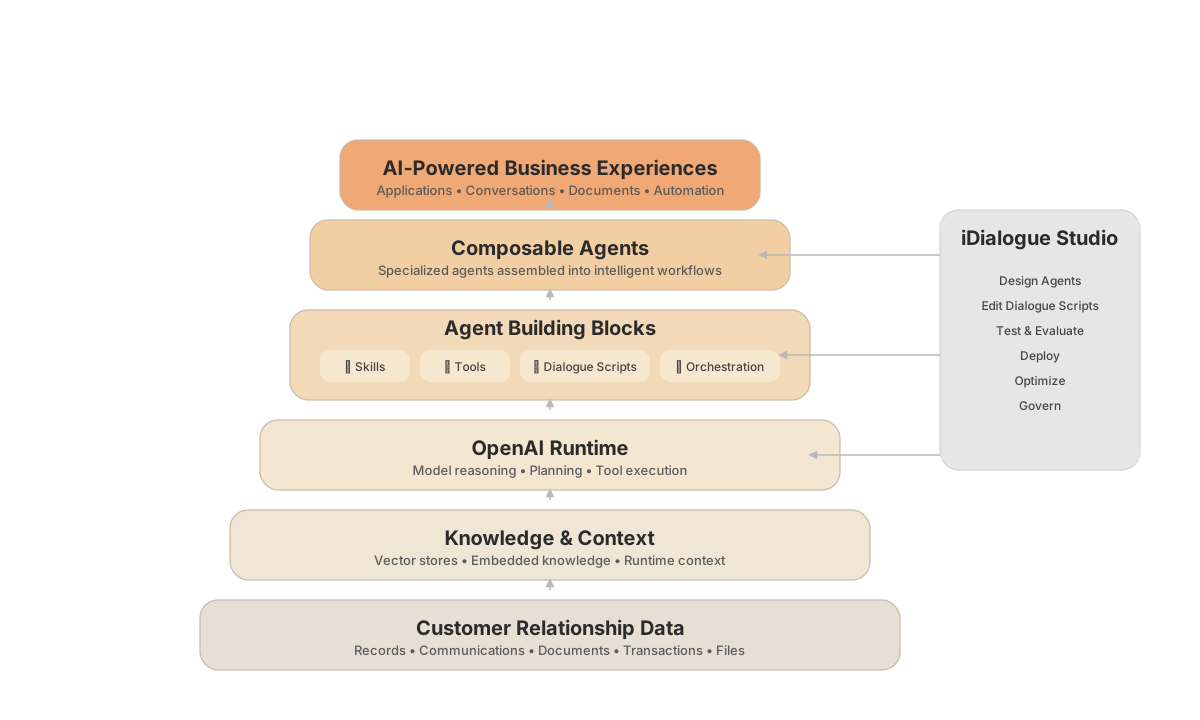
Salesforce records and Files support two outcomes: Generative AI for Documents and Experiences, and Intelligent Document Processing for OCR, extraction, summaries, and Q&A.
Product capabilities
Document Generation
Generate review-ready business documents from Salesforce context, approved templates, and reusable workflows.
ESignatures
Move approved PDF documents through signer and countersigner workflows inside Document Rooms.
Intelligent Document Processing
Read, summarize, question, and extract useful information from Salesforce Files.
Image OCR
Prepare readable text from business cards, receipts, scans, photographs, and other supported image workflows.
Experiences & Document Rooms
Publish approved content or assemble documents, members, invitations, activity, and signatures for customer-facing workflows.
Platform & Architecture
Connect Salesforce records and Files to selected AI and processing services through configured agents, skills, tools, Connections, and workflows.
Supporting capabilities
These pages remain available as deeper implementation and governance context:
- Salesforce Context
- Sales Agents
- Templates and Workflows
- Content Governance
- Knowledge and Retrieval
- Dialogue Continuity
- Analytics and Observability
- Trust Center
Related pages
Install the iDialogue Salesforce package to begin.